
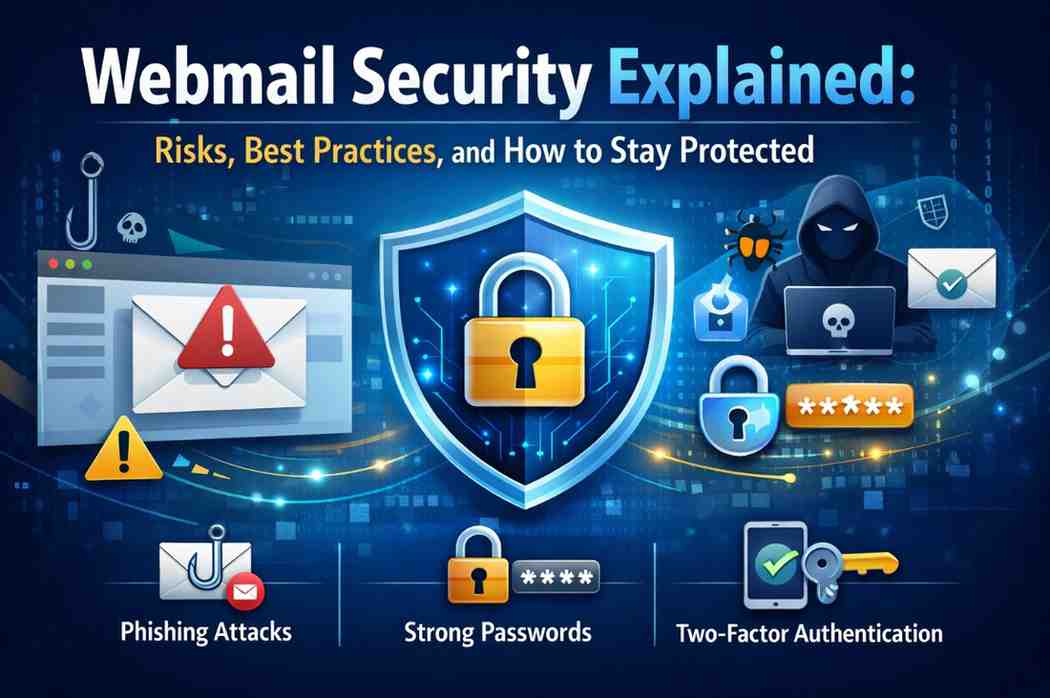
Introduction: Why Webmail Security Matters More Than Ever
Email is the backbone of modern digital communication. From business contracts and invoices to password resets and confidential conversations, webmail carries some of the most sensitive data we share online. Because of this, webmail accounts have become one of the most targeted entry points for cybercriminals.
Webmail security is no longer just an IT concern—it is a personal and business necessity. A single compromised email account can lead to data theft, financial fraud, identity misuse, and even complete system breaches.
In this comprehensive guide, we will explain:
- What webmail security really means
- The most common risks and threats
- Best practices to secure webmail accounts
- Advanced protection techniques
- How individuals and businesses can stay protected long-term
This article is written to be Google Discover–friendly, evergreen, and suitable for readers of all technical levels.
What Is Webmail Security?
Webmail security refers to the technologies, practices, and policies used to protect email accounts accessed through a web browser from unauthorized access, misuse, data loss, and cyberattacks.
Unlike desktop email clients, webmail is accessed online, which makes it convenient—but also exposes it to internet-based threats if not properly secured.
Webmail security focuses on:
- Account protection
- Message integrity
- Data confidentiality
- Spam and malware prevention
- Safe authentication and access control
How Webmail Works (A Quick Overview)
To understand webmail security, it helps to understand how webmail works:
- A user logs in through a browser
- Authentication is verified by the mail server
- Emails are sent using SMTP
- Emails are received using IMAP or POP
- Spam filters and security checks scan messages
Any weakness in this chain can be exploited.
Common Webmail Security Risks and Threats
1. Phishing Attacks
Phishing is the most common webmail threat. Attackers send fake emails pretending to be trusted sources to steal login credentials or personal data.
Why it’s dangerous:
- Looks legitimate
- Targets human behavior
- Can bypass technical security
2. Weak or Reused Passwords
Using simple or reused passwords makes it easy for attackers to gain access through brute-force or credential-stuffing attacks.
Common mistakes:
- Using the same password everywhere
- Short or predictable passwords
- Never updating passwords
3. Malware and Malicious Attachments
Email attachments and links are often used to deliver:
- Keyloggers
- Ransomware
- Spyware
Opening a single infected attachment can compromise an entire system.
4. Account Hijacking
Once attackers gain access to a webmail account, they may:
- Read private emails
- Reset passwords for other services
- Send spam or scams from your account
- Steal sensitive business information
5. Spam and Email Abuse
Spam emails are not just annoying—they are often used to:
- Spread malware
- Run scams
- Damage sender reputation
Poor webmail security increases spam exposure.
6. Public Wi-Fi and Insecure Networks
Logging into webmail on unsecured networks can expose credentials to interception if encryption is weak or missing.
7. Missing Email Authentication (SPF, DKIM, DMARC)
Without proper authentication:
- Emails can be spoofed
- Messages may land in spam
- Domain reputation suffers
Why Webmail Security Is Critical for Businesses
For businesses, webmail security is directly tied to:
- Data protection laws
- Customer trust
- Financial safety
- Brand reputation
A compromised business email account can lead to:
- Invoice fraud
- Data breaches
- Legal consequences
- Loss of customer confidence
Best Practices for Strong Webmail Security
1. Use Strong and Unique Passwords
A secure webmail password should:
- Be at least 12–16 characters
- Include letters, numbers, and symbols
- Be unique to email
Password managers can help generate and store strong passwords safely.
2. Enable Two-Factor Authentication (2FA)
Two-factor authentication adds an extra verification step, such as:
- SMS code
- Authentication app
- Hardware security key
Even if a password is stolen, 2FA can stop attackers.
3. Always Use HTTPS (Secure Connections)
Ensure your webmail login uses HTTPS encryption to protect credentials from interception.
4. Be Alert to Phishing Emails
Before clicking links or opening attachments:
- Check sender address carefully
- Look for spelling or grammar mistakes
- Avoid urgent or threatening language
When in doubt, verify with the sender directly.
5. Keep Devices Secure
Webmail security also depends on device security:
- Keep operating systems updated
- Use antivirus software
- Enable firewalls
A compromised device can bypass even strong email security.
6. Configure Email Authentication (SPF, DKIM, DMARC)
These DNS-based security measures:
- Prevent email spoofing
- Improve deliverability
- Protect your domain reputation
They are essential for business email security.
7. Monitor Login Activity
Regularly check:
- Login locations
- IP addresses
- Unusual activity
Many webmail services provide activity logs.
8. Avoid Public Computers for Email Access
Public systems may contain:
- Keyloggers
- Malware
- Saved session data
If unavoidable, always log out and clear sessions.
Advanced Webmail Security Measures
Email Encryption
End-to-end encryption ensures only the intended recipient can read the message, protecting sensitive communication.
Spam Filtering and AI Detection
Modern webmail platforms use advanced spam filters and AI models to block:
- Phishing emails
- Malicious attachments
- Suspicious links
Users should still remain cautious.
Role-Based Access for Businesses
Businesses should limit access by:
- Assigning roles
- Using separate admin accounts
- Restricting sensitive permissions
Webmail Security Mistakes to Avoid
- Ignoring security alerts
- Reusing passwords
- Disabling spam filters
- Clicking unknown links
- Sharing login credentials
Small mistakes often lead to major breaches.
How Hosting Providers Improve Webmail Security
Hosting companies typically secure webmail by:
- Monitoring spam activity
- Blocking suspicious IPs
- Enforcing authentication
- Scanning outgoing emails
- Limiting abuse
Users should still follow best practices.
How to Check If Your Webmail Account Is Secure
Ask yourself:
- Do I use a strong password?
- Is 2FA enabled?
- Are my emails authenticated?
- Do I recognize all login activity?
If the answer to any is “no,” improvements are needed.
What to Do If Your Webmail Account Is Compromised
- Change password immediately
- Enable 2FA
- Scan devices for malware
- Review sent emails
- Notify contacts if necessary
- Contact your email or hosting provider
Quick action limits damage.
Webmail Security and Compliance
Secure email practices help meet:
- Data protection regulations
- Industry security standards
- Customer privacy expectations
Strong security reduces legal and reputational risk.
Future of Webmail Security
Emerging trends include:
- AI-powered threat detection
- Zero-trust authentication
- Passwordless login methods
- Improved encryption standards
Webmail security will continue to evolve as threats grow.
Frequently Asked Questions (FAQs)
What is webmail security?
Webmail security protects online email accounts from unauthorized access, malware, phishing, and data loss.
Why is webmail more vulnerable to attacks?
Because it is accessible over the internet, webmail is a frequent target for phishing and credential theft.
How can I make my webmail more secure?
Use strong passwords, enable two-factor authentication, avoid suspicious emails, and keep devices updated.
Is webmail safe for business use?
Yes, when proper security measures like authentication, encryption, and monitoring are in place.
Can webmail be hacked even with a strong password?
Yes, through phishing or malware, which is why multi-factor authentication is essential.
Do hosting providers fully protect webmail?
Hosting providers offer strong protections, but users must follow best practices for full security.
Why do emails go to spam even when legitimate?
Missing authentication records or poor sender reputation often cause this issue.
How often should I change my webmail password?
At least every 3–6 months or immediately after any security concern.
Final Thoughts: Staying Secure in a Webmail-Driven World
Webmail security is not a one-time setup—it is an ongoing responsibility. As cyber threats become more sophisticated, users and businesses must stay informed, proactive, and cautious.
By following the best practices outlined in this guide, you can:
- Protect sensitive communication
- Reduce the risk of email-based attacks
- Maintain trust and reliability
A secure inbox is not just about technology—it’s about awareness, habits, and continuous improvement.